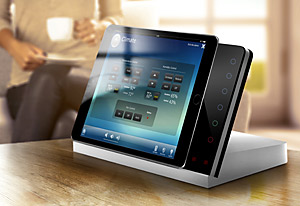
iRoom’s iTop is a tabletop iPad Docking Station and control interface for
audio, video and any electronic and electrical devices. The independently
programmable keypad is incorporated into the glass faceplate giving the end-user
direct access to their most commonly used functions. iRoom´s iTop is equipped
with an adjustable connector that charges any iPad with the Lightning port
whether it’s an iPad Pro, iPad Air or any generation of iPad mini.
Accommodates
iPad Pro 12,9“, iPad Pro 9,7”, iPad Air, iPad Air 2, iPad mini.
Quick Access to lights, blinds, volume etc.
Direct IP control
Relay module controls electrical devices
Drivers for all major control systems*
Easy configuration with iOS app
*Drivers available for AMX, Bitwise, Compass Control, Crestron, Control4,
GIRA HomeServer, Global Caché, Neets, RTI, Savant, Loxone
The attractive aluminum base combined with the sleek glass bezel will
convince customers of its luxury appeal. iTop is suitable for Residential,
Commercial and boardroom applications. Six backlit, customizable Quick Keys on
the glass faceplate can be assigned IP control commands in order to give the
user immediate access to audio, video and electronic devices through the home or
corporate IP network. This adds convenience to a control environment by
providing immediate access to often used functions such as lights, blinds,
source select or volume control without the hassle of unlocking the iPad screen,
opening the control app and finding the right control. The optional iO83 8-port
high voltage power relay module allows for control of devices that don’t have an
IP control interface such as lights or blinds. iO83 connects to iTop via LAN or
WiFi. This makes iTop a complete stand-alone control device by using its open
system architecture to control any IP addressable client while also being able
to control electronic devices via the relay module. The Quick Keys can be easily
programmed, using iRoom’s iOS configuration app.
iTop
includes a PoE+ Injector for convenience and value. A single cat cable
powers iTop and gives it control connectivity at the same time.
In order to customize the Quick Keys, iRoom includes 130 pre-printed icons
for all common control functions. This makes the keypad intuitive and easy to
operate.
For more complex control scenarios iTop can be integrated with all major
third-party control systems such as Crestron, AMX, Savant, Control 4, RTI, Key
Digital and more. iRoom provides free drivers that enable the iTop Quick Keys to
trigger control functions or control macros that are already programmed with
these third-party control systems. When the iPad is used as a control device for
the third-party control system iTop becomes the ultimate control interface by
housing the iPad with its control GUI and providing Quick Keys directly next to
the iPad for the most commonly used control functions.
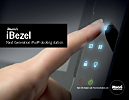
iBezel is the next generation iDock. iBezel provides not only motorized,
passcode secured iPad release but control functionality via 8 backlit touch
buttons that are built into the glass bezel.
Frequently used control functions such as lights, blinds or music volume can
be accessed quickly even though the iPad is undocked. iBezel integrates all
leading control systems like RTI, KNX, Crestron, AMX, Nest as well as Sonos
audio system, Samsung SmartTV and Philips Hue lighting system. Devices with IP
port can be controlled through iBezel directly.
Features
Control device with iDock functionality for integrated Smarthome and media
control
Compatible with RTI, KNX, Crestron, AMX, Sonos, Nest, Samsung Smart TV
Back-lit touch buttons built into the glass bezel
Easy configuration with app
Quick access for lights, blinds, music volume etc.
Anti-theft protection through touchcode
130 pre-printed symbols for customization of touch buttons
Automatic Proximate Sensor wake up / sleep mode
Fits in standard iDock backbox
The world‘s best in-wall docking solution
iRoom’s iDock Basic is the perfect solution for secure storage of your iPad™.
The iDock Basic is integrated into the wall. A special flushmounted socket is
used for this purpose. The iDock Basic is then connected via PoE, USB, 12V
oder 230 V power supply and inserted into the flush-mounted socket. Done!
Now you can place your iPad™ into the docking station; the rechargeable
iPad™ battery is automatically charged. Naturally you can also use the iPad™
while it is in the iDock Basic. TouchCode Version is a secure solution to
protect your iPad™ while it is docked.
Features:
Turns an iPad® into an In-Wall panel
Proximity sensor controls the opening mechanism
potential-free contact (e.g. switch) for securing the iDock using a
keyswitch
vertical and horizontal format
iDock also alows table top application
iDock available in black and white
Faceplates available in pianoblack, opal white, silver and brushed
aluminium
Quality: 200.000 times tested opening mechanism
At a power outage the iDock Basic opens automatically and releases the
iPad™
crush protection feature (opens when resistance at closing)
DIP switch for configuration (e.g. enable/disable iPad internal speakers
etc.)
TouchCode (secure release) and Manual versions (not motorized, no Audio,
no DIP Switch) available
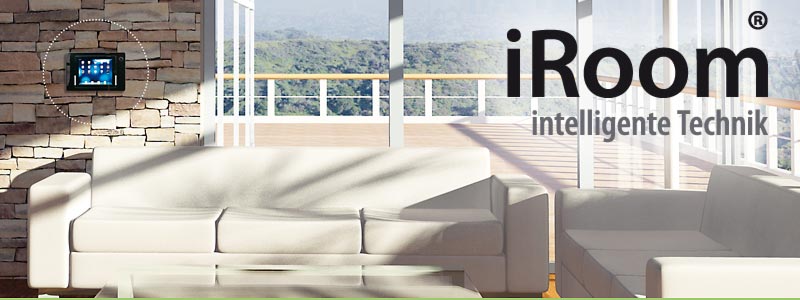
iDock
is available in vertical and horizontal format, in black and white. The
faceplates are available in Pianoblack, Opal white,silver and brushed
Aluminium.







 Accommodates
iPad Pro 12,9“, iPad Pro 9,7”, iPad Air, iPad Air 2, iPad mini.
Accommodates
iPad Pro 12,9“, iPad Pro 9,7”, iPad Air, iPad Air 2, iPad mini.